Repeat groceries
Quickly look up a packaged item you eat regularly, then record it within breakfast, lunch, dinner, or a snack.
Packaged-food lookup
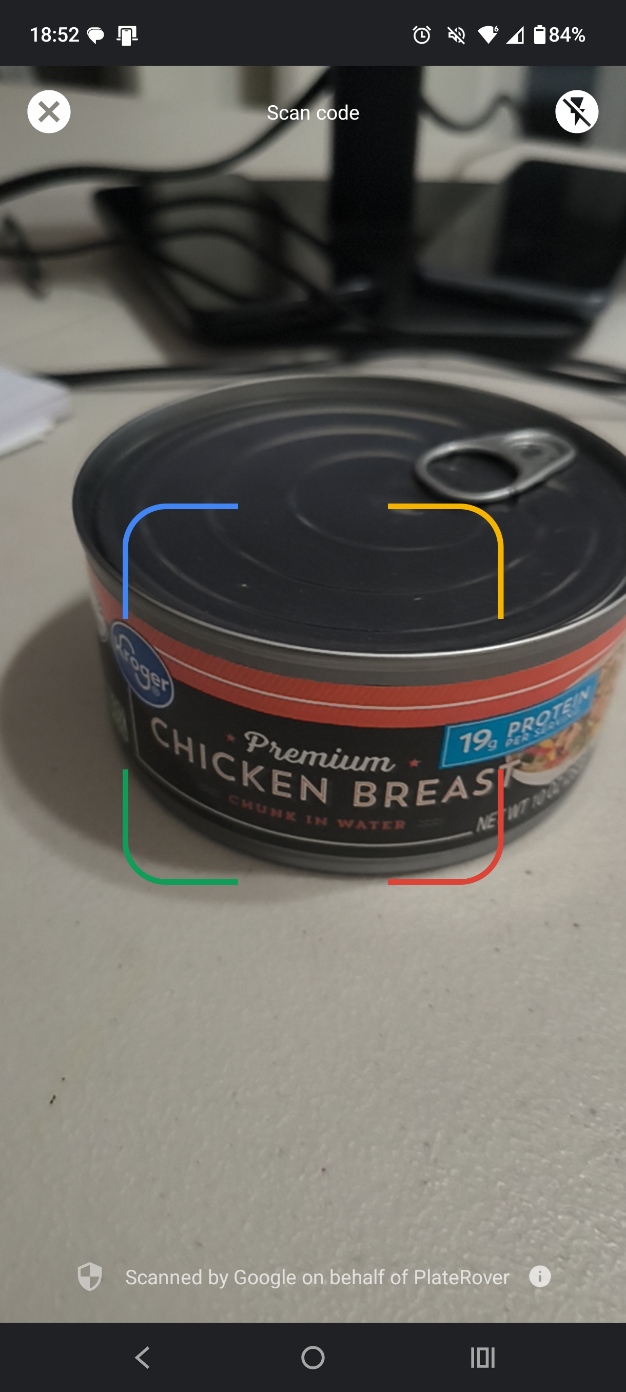
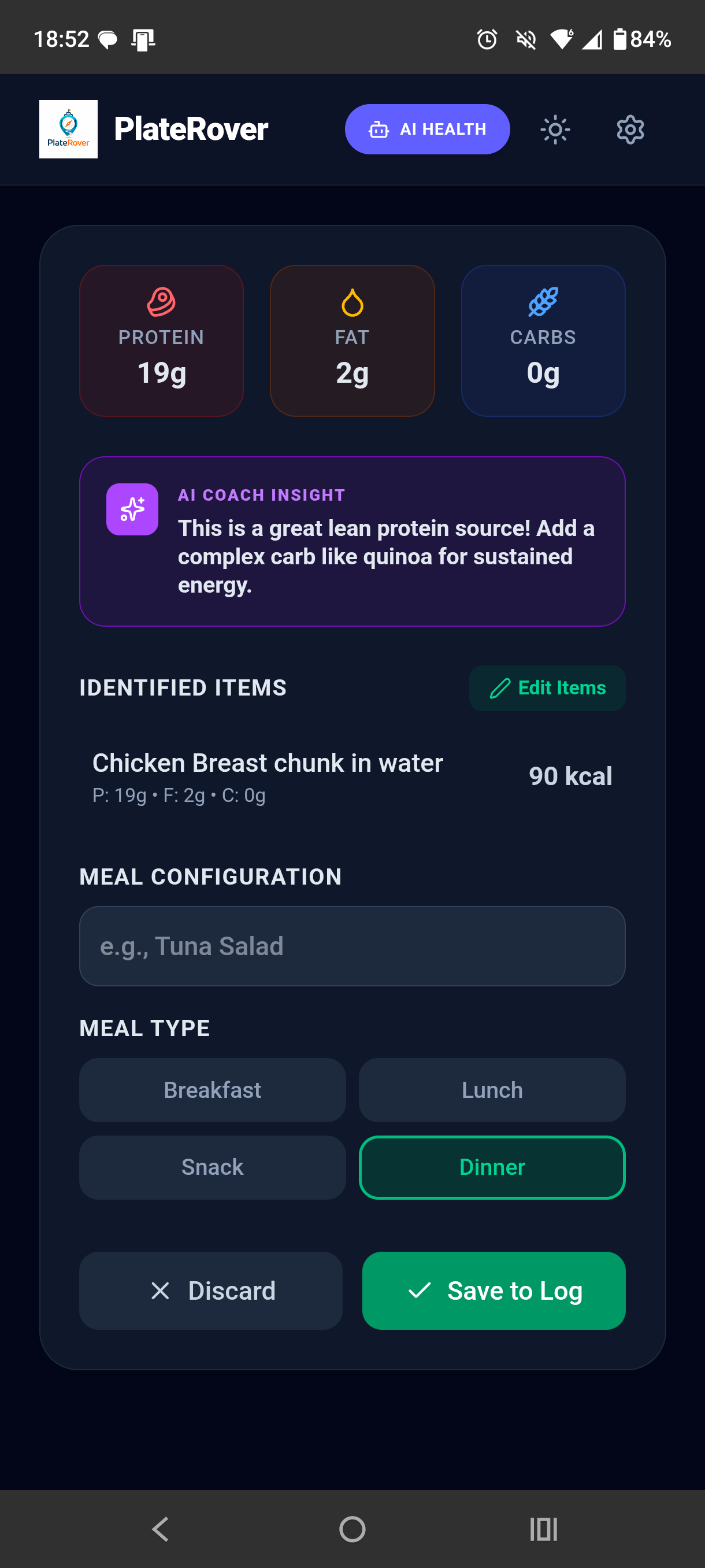
PlateRover gives packaged foods a direct path into meal tracking: open the barcode scanner, capture the code, review the nutrition result, and save the food with the right meal.
Product availability and nutrition data can vary by barcode and database record.
How it works
Barcodes identify products; they do not measure the amount you ate. The useful workflow is to look up the product and then confirm the entry that belongs in your log.
Good fits
Quickly look up a packaged item you eat regularly, then record it within breakfast, lunch, dinner, or a snack.
A barcode can distinguish a specific packaged product when a photo of the food itself would not show the brand or formulation.
Review calories with protein, fat, and carbohydrate values before the entry contributes to your daily summary.
A readable code may have no matching record, and database information can be incomplete, outdated, or different from the current label. A barcode identifies a product, not your portion. Compare the result with the package and serving size, especially when a manufacturer has changed its recipe or label.
Related PlateRover tools
Questions
The code identifies a product. PlateRover uses that identifier for nutrition lookup, so the result depends on the available product record.
No. Some codes may be missing from the lookup data, hard to read, or associated with incomplete information.
No. The barcode identifies the product rather than the quantity you consumed. Check the package serving information and review the logged amount.
For a prepared meal or unpackaged food, PlateRover’s AI food scanner offers a photo-based way to start an estimated entry.
Scan the barcode, verify the matched nutrition information, and save the food alongside your other PlateRover meals.
Download PlateRover on Google Play