Protein at a glance
Compare the protein in a scanned food with the running daily amount instead of evaluating each meal in isolation.
Daily nutrition visibility
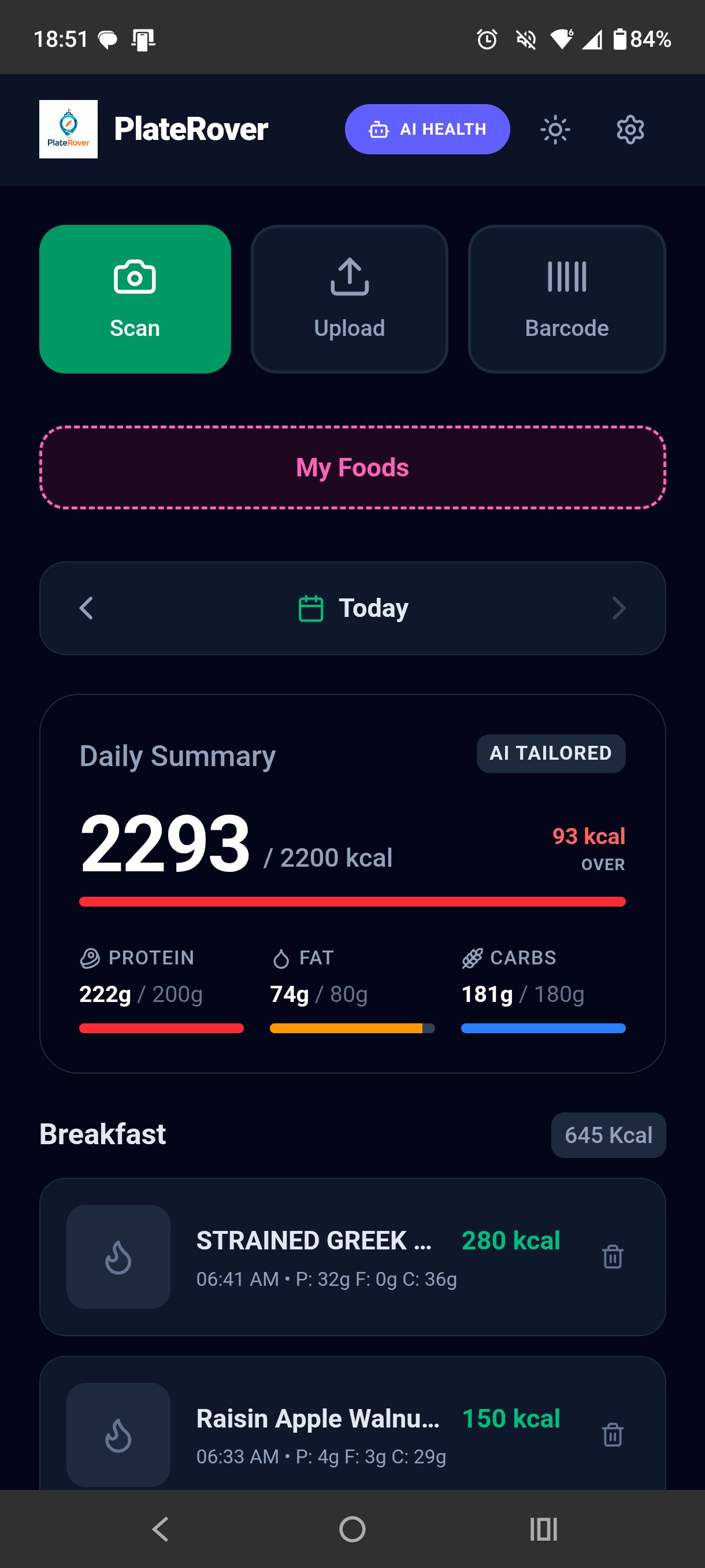
PlateRover brings your logged foods into one daily summary, showing protein, fat, and carbohydrate progress beside calories and the meals that contributed to those totals.
Macro values depend on the accuracy of the foods and portions in your log.
How it works
The tracker is a summary of meal entries rather than a separate task. Each reviewed food adds its estimated macronutrients to the day.
Why the combined view helps
Compare the protein in a scanned food with the running daily amount instead of evaluating each meal in isolation.
Keep both macro categories visible alongside protein, with a consistent gram-based view across the day.
Look below the summary to see which breakfast, lunch, dinner, or snack entries produced the displayed totals.
Portion size, recipe ingredients, cooking oil, product records, and photo recognition can all affect macro estimates. Review scan results and package information rather than treating a progress bar as lab measurement. PlateRover provides nutrition visibility for general tracking; it does not prescribe a diet or replace professional medical guidance.
Ways to fill the log
Questions
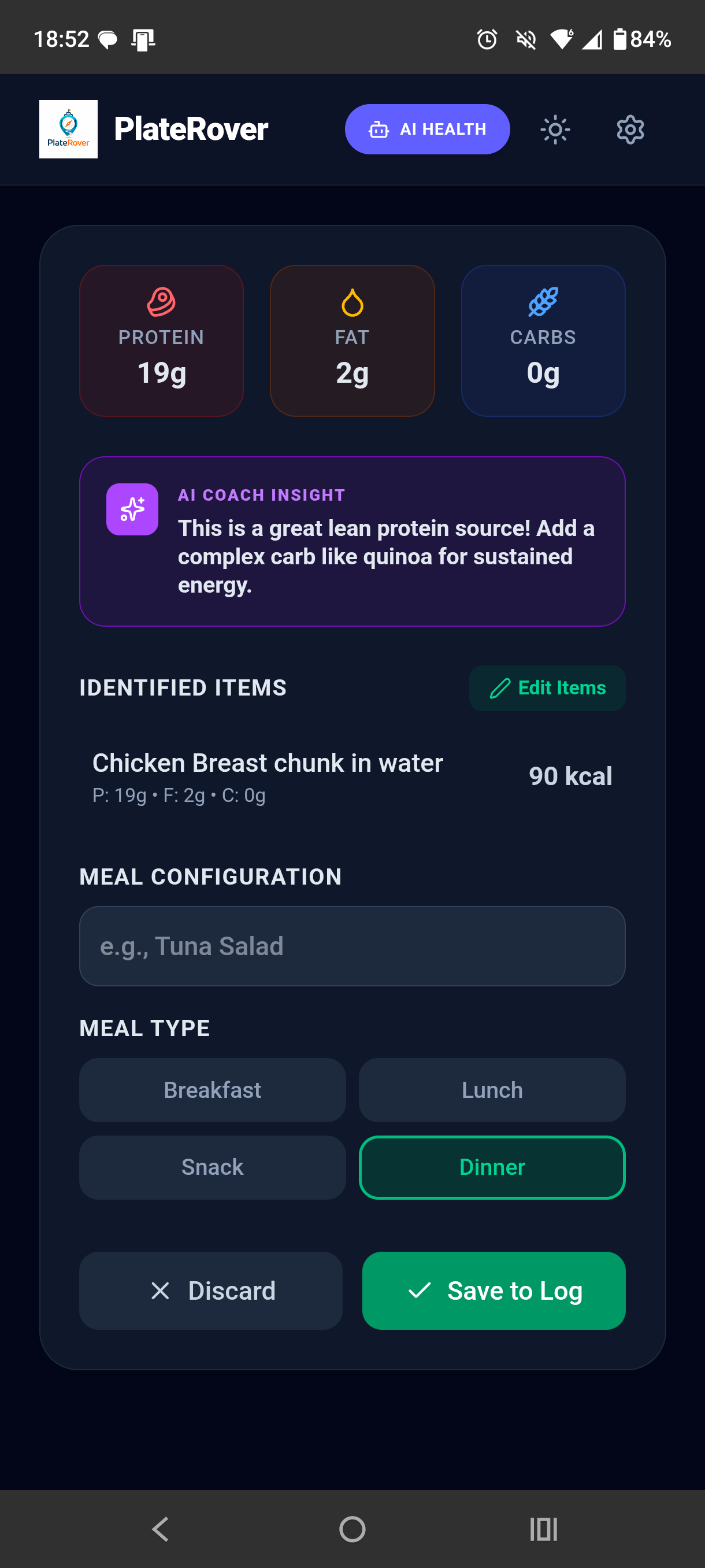
The PlateRover daily summary and scan result screens show protein, fat, and carbohydrates in grams.
Yes. The daily summary displays calories alongside the three macro categories so you can read them together.
Yes. A scan produces editable estimated nutrition. When you save the reviewed result to the log, it becomes part of the day’s meal and nutrition view.
No. They reflect the food data, identified items, and portions in the entry. Photo scans and nutrition databases can introduce uncertainty.
Log foods, review their estimated protein, fat, and carbohydrates, and use the daily summary to understand the full day.
Download PlateRover on Google Play